How to Compare Included Content in DLC, Expansion Packs, and Season Passes to Avoid Duplicate Purchases
Purchasing downloadable content (DLC) or upgrading a favorite video game is an exciting milestone for gamers in Korea. However, navigating modern digital storefronts like Steam KR, PlayStation Store Korea, or Nintendo eShop KR can quickly become confusing. Game publishers frequently offer multiple purchasing paths, including individual item DLCs, story expansions, season passes, and deluxe game bundles.
Without careful checking, gamers often fall into a costly trap: purchasing a single character or cosmetic pack, only to later buy a season pass or deluxe edition that includes that exact same item. This results in paying twice for the exact same digital asset.
This guide explains how digital game content is structured, contrasts how different game stores handle duplicate purchases, and provides a four-step checklist to protect your wallet.
Understanding gaming content tiers: From cosmetic DLC to Ultimate Editions
To avoid overlapping purchases, you must first understand the structural hierarchy of digital game releases.
Cosmetic DLCs vs Expansion Packs
The term DLC (downloadable content) covers a wide spectrum. Small DLCs usually contain minor additions, such as character costumes, weapons, or individual playable characters.
An Expansion Pack (확장팩), on the other hand, represents a major content drop. Expansions add substantial new map regions, main questlines, and gameplay mechanics. Buying an expansion pack gives you a massive continuation of the main game, whereas small DLCs only add minor cosmetic or character options.
Season Passes vs Deluxe/Ultimate Editions
A Season Pass (시즌 패스) is essentially a discounted advance ticket for a planned set of future DLCs and expansions. Instead of buying four separate DLCs over two years, purchasing the season pass unlocks them automatically as they release.
A Deluxe or Ultimate Edition combines the base game, the season pass, and exclusive day-one bonus items into a single bundle. Overlapping purchases happen most frequently when a player buys a base game and a few individual DLCs early on, and later decides to purchase the Ultimate Edition or Season Pass without checking what they already own.
How Steam KR and PlayStation Store handle duplicate content differently
Different digital game stores handle duplicate items in your cart very differently. Understanding these store mechanics is vital for console and PC players in Korea.
Steam KR's dynamic bundle auto-deductions
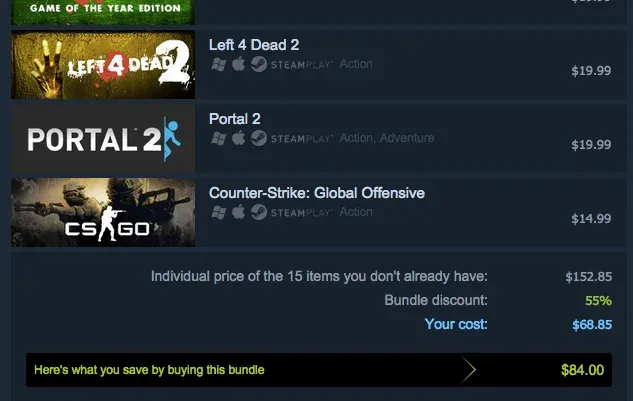
Steam KR features one of the most consumer-friendly bundle systems, known as "Complete the Set" (꾸러미). If you attempt to buy a bundle or Deluxe package that contains DLCs you already own in your Steam library, Steam automatically crosses out the owned items and subtracts their cost from the final bill. You only pay for the content you do not yet own.
PlayStation Store Korea's strict no-refund trap
Unlike Steam, PlayStation Store Korea (PSN KR) does not feature dynamic bundle deductions. If you own three individual character DLCs and decide to buy a Season Pass that includes those three characters, PSN KR will charge you the full price of the Season Pass without any discount.
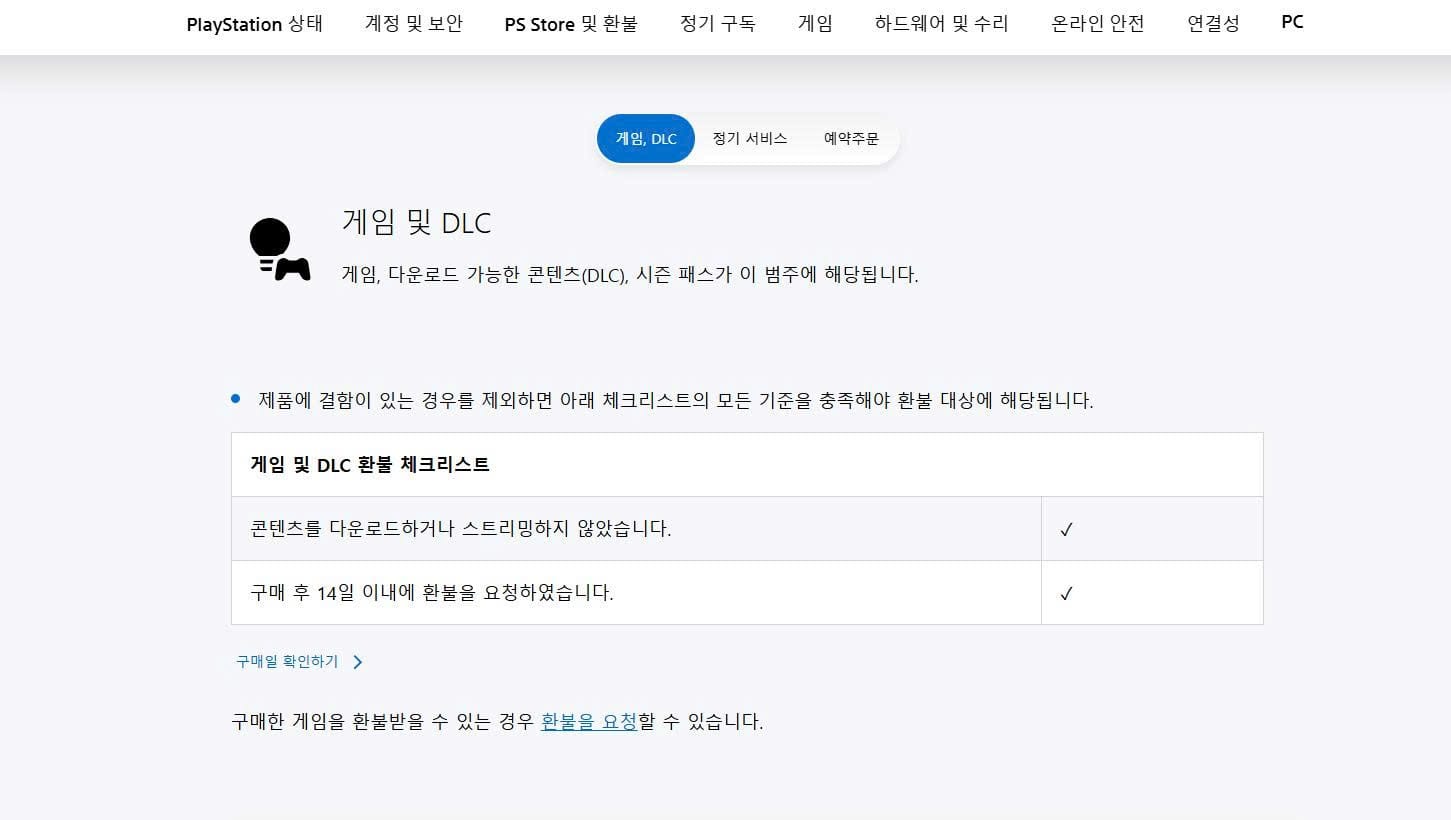
Even worse, under Korean E-Commerce Law (전자상거래법), PlayStation Store Korea enforces an extremely strict refund policy. The moment a purchased DLC or season pass is downloaded or attached to your console account, refunds become completely impossible, even if you purchased the duplicate content by mistake.
Comparing refund policies and duplicate warnings across major game stores
To help you choose the safest purchasing path, here is how the major digital game stores operating in Korea handle duplicate warnings and refunds:
As shown in the comparison, console players on PlayStation or Nintendo must exercise far greater caution than Steam users before confirming a purchase.
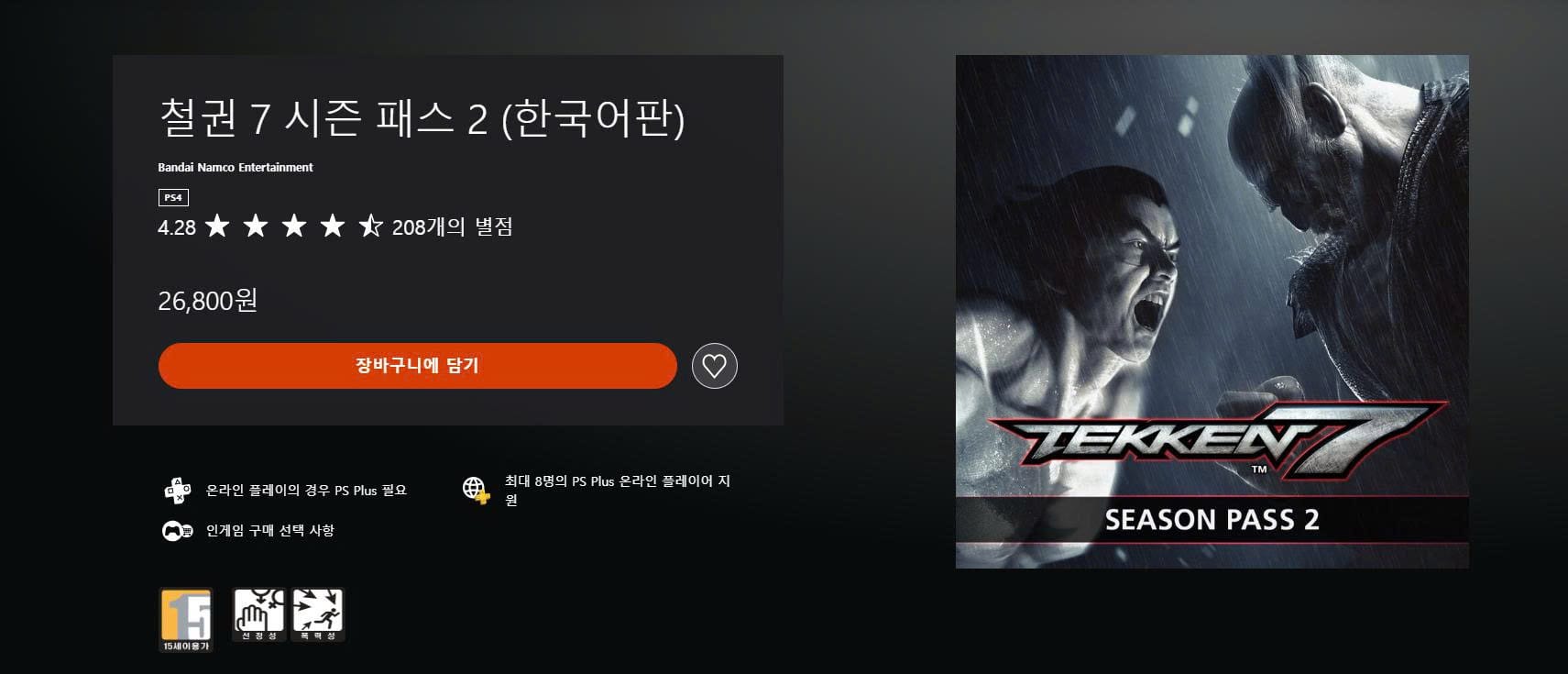
PlayStation Store Korea listing the DLC included in a Season Pass and noting that some items are also sold separately.4 steps to verify your game library before clicking buy
Follow these four practical steps to audit your game library and avoid paying twice for digital content:
Step 1: Audit your owned DLC library
Before opening the store page, open your library or purchase history on your PC or console. Make a quick list of every individual DLC, costume pack, or expansion you currently own for that specific game.
Step 2: Read the Season Pass content roadmap
Do not assume a Season Pass includes every piece of DLC released for a game. Publishers frequently release "Year 1 Season Passes" and later release "Year 2 Season Passes" separately. Read the store description or official game roadmap to confirm exactly which DLC packs are covered by that specific pass.
Step 3: Look for "Deluxe Upgrade" packs
If you already own the base game and want the extra digital artbooks, soundtracks, or bonus costumes included in higher editions, search the store for a "Deluxe Upgrade" (디럭스 업그레이드) pack. Buying an upgrade pack gives you the extra edition perks without forcing you to re-buy the base game.
Step 4: Check refund eligibility before downloading
If you make a purchase on a console store and immediately suspect you bought an overlapping DLC, do not click the "Download" button. On PlayStation Store Korea, keeping the transaction un-downloaded preserves your right to request a customer support refund within 14 days under consumer protection rules.