One-Time Purchase, Time-Limited Pass, and Subscription Options on Adult Content Services
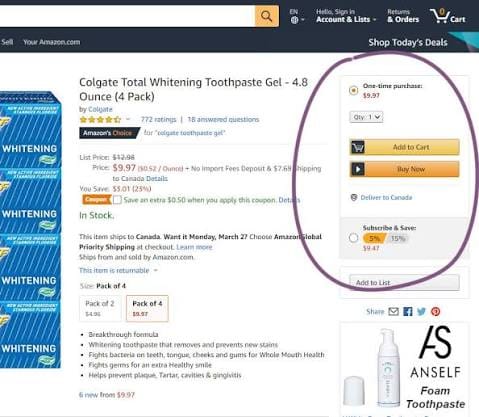
Adult content services often present several payment options for the same catalog: a one-time purchase, a short-term viewing pass, or a recurring subscription. The lowest displayed price does not necessarily represent the lowest real cost. What matters is how long access lasts, which titles are included, how frequently you watch, and whether the service restricts playback by device, region, or account status.
A viewer interested in a single title may spend less with an individual purchase, while someone planning to watch several titles over one weekend may get more value from a seven-day or 30-day pass. Regular users can benefit from subscriptions, but only when enough of the content they actually want is included without additional charges.
The most reliable comparison therefore starts with access rights rather than price. Product pages, payment screens, terms of service, account-management settings, and actual playback conditions provide more useful information than promotional claims about catalog size.
Access Rights Attached to One-Time Purchases
The word “purchase” can suggest permanent ownership, but digital purchases do not always work like physical media. In many services, payment grants a license to access a title under specified conditions rather than ownership of an independent copy of the file.
Before paying, the product page and terms should answer several practical questions. How long can the title be played after purchase? Does it remain accessible indefinitely, or is there a defined viewing period? What happens if the title is later removed from the service? Can previously purchased content still be played from the account library?
The download function also deserves closer attention. A button labeled “Download” may mean that the video can be stored permanently as a normal file, but on many streaming services it simply creates an encrypted offline copy inside the app. That copy may stop working after a certain period, after the user signs out, when the subscription ends, or when the license is refreshed.
From a user-experience perspective, this distinction matters most for people who intend to revisit the same title months later. A one-time purchase is more attractive when the service clearly explains the continuing access policy, maintains purchase records, and provides a practical method for restoring purchased items after changing devices.
A weaker arrangement is one in which the service advertises “purchase” prominently but provides little information about what happens after catalog removal. In that case, the apparent advantage of paying once becomes difficult to evaluate.
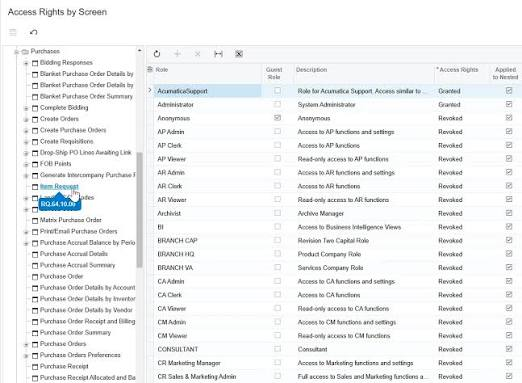
Calculation Rules for Time-Limited Passes
Short-term passes can be useful when several titles are likely to be watched within a concentrated period. Their value, however, depends on exactly when the access clock begins.
A 24-hour pass may start immediately after payment, while another service may activate the period only after the first playback. The difference can materially affect value. Someone purchasing late at night could lose several useful hours if the countdown begins at checkout.
The same issue applies to seven-day and 30-day products. Users should identify the activation event, expiration time, and whether the service uses calendar days or an exact number of hours from activation.
Viewing limits are equally important. Some passes provide unrestricted access to an eligible catalog during the active period. Others limit the number of titles, the number of plays per title, or the amount of content that can be unlocked.
For example, a seven-day pass may appear ideal for a weekend viewing plan, but its advantage can disappear if only a small number of titles are included or if newly released material requires separate payment. A practical calculation should therefore include both the duration of the pass and the amount of usable content within that period.
Someone considering a temporary pass should estimate the number of titles realistically likely to be watched, not the maximum number theoretically available. This produces a more meaningful cost-per-view estimate and reduces the chance of paying for access time that goes unused.
Subscription Catalog Coverage and Additional Charges
Subscription plans are usually promoted around the size of the overall catalog, but total title count can be misleading. A better measure is the percentage of the viewer's preferred content that the subscription actually includes.
Recent releases may be excluded. Certain production companies may sell their titles separately. Higher-resolution editions, special releases, or premium collections can also require an additional payment even when a user already has an active membership.
This creates an important distinction between catalog availability and subscription availability. A title appearing in search results does not automatically mean it can be watched under the regular monthly fee.
Users should therefore inspect several titles they genuinely intend to watch before subscribing. If most of those titles display an additional purchase or rental price, the subscription offers less practical value than its headline catalog size suggests.
Experience with digital libraries also shows why genre fit matters. A service with thousands of titles may still be poor value for someone whose preferred studios, performers, or release types are mostly outside the standard plan. Conversely, a smaller catalog can provide better value when a high proportion of the viewer's preferred material is included.
The useful question is not “How many titles does this service have?” but “How much of the content I would actually watch is covered by the monthly fee?”
Age Verification, Privacy, and Account Controls
Adult services require additional attention to privacy because age verification, payment data, viewing history, and account activity can all involve sensitive information.
Legitimate age verification requirements should be clearly explained before users submit personal information. It is worth comparing whether a service relies on payment-card verification, an external identity provider, document verification, or another method, as well as how much information is retained afterward.
The billing descriptor is another practical consideration. Some services identify themselves directly on card or bank statements, while others use a parent company or payment processor. Users who need to understand how a transaction will appear should look for billing information before completing payment rather than assuming the displayed service name will be used.
Account-management features also differ. Useful controls include viewing-history deletion, profile or PIN locks, device-management pages, session logout functions, and an understandable account-deletion process.
A service deserves greater caution when it requests substantially more personal information than appears necessary for age or payment verification, provides no clear explanation of retention, or makes deletion procedures difficult to locate.
These issues matter regardless of whether the user chooses a purchase, pass, or subscription. A small price difference should not outweigh weak privacy controls or an unclear identity-verification process.
Purchase Records and Continuing Playback Rights
After paying for a title, the entry remaining in the account library does not always guarantee that the title will remain playable under every circumstance. Digital access can depend on licensing arrangements, account status, DRM authorization, regional permissions, and the service's own continuing-access policy.
This is particularly important when comparing a one-time purchase with a temporary pass. A buyer may reasonably expect a purchased item to remain more durable than rented or subscription access, but the service's terms determine what that promise actually means.
Cases in which becomes relevant often involve a distinction between the purchase record itself and the current authorization to play the file. The library entry may remain visible even when playback rights, regional permissions, or the underlying catalog listing have changed.
For that reason, screenshots of purchase receipts, order numbers, and transaction emails can be useful records for customer-support requests. They do not override the terms of service, but they make it easier to establish what was purchased and when.
A service that clearly separates purchased, rented, and subscription content in the account library also reduces confusion. Users should be able to identify whether a title was bought individually, temporarily unlocked, or accessed through an active membership.
Device, Region, and Playback Restrictions
Price comparisons are incomplete without checking where and how the content can be played.
A service may support desktop browsers and mobile apps but offer no smart-TV application. Another may permit television playback but restrict casting or screen mirroring. Resolution can also differ by device, with a title advertised in high definition but available at a lower quality on certain browsers or apps.
Simultaneous-stream limits matter for shared households. Some memberships permit multiple registered devices but only one active stream at a time. Others impose both a device-registration limit and a simultaneous-playback limit.
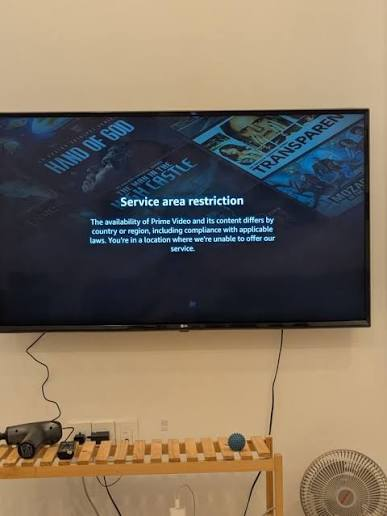
Regional restrictions are especially relevant for overseas services. The existence of a website that loads from another country does not necessarily mean the service officially supports registration, local payment cards, or playback in that region. Users should review supported-country information and service terms rather than assuming that successful access to the homepage means full service availability.
Payment compatibility should be checked separately. International card acceptance, currency-conversion fees, tax treatment, and recurring-payment handling can change the effective cost of a plan.
For people who primarily watch on a specific device, supported playback should be treated as a basic requirement rather than an optional feature. A cheaper subscription has little value if the preferred television, tablet, or browser cannot provide reliable playback.
Total Cost by Viewing Pattern
The most useful payment method changes with viewing frequency. Instead of ranking one-time purchases, passes, and subscriptions universally, the cost should be calculated around realistic viewing behavior.
For a user interested in only one title, compare the individual purchase price with the cheapest pass that includes that title. The purchase may be the better choice when long-term access is clearly provided and repeat viewing is likely. A pass may be cheaper when the title will be watched only once.
For someone planning to view several titles within a short period, a time-limited pass can become more economical. The calculation should include the number of eligible titles, the activation rule, the pass expiration date, and any per-title limits. A seven-day pass that covers six desired titles may provide better value than buying each one separately.
For regular monthly users, subscriptions should be evaluated over several months rather than a single billing cycle. Add the monthly fees and any frequent extra purchases for excluded titles. If a subscriber repeatedly pays separately for preferred new releases, the apparent subscription savings can disappear quickly.
A simple comparison can be organized around three patterns:
These are starting points rather than universal rules. A frequent viewer may still prefer individual purchases if long-term access matters more than catalog breadth, while an occasional viewer can benefit from a subscription during a month with many desired releases and cancel afterward if the service permits flexible billing.
The best option is therefore the one that matches the number of titles you realistically watch, the period during which you need access, and the level of privacy and playback flexibility you expect. Checking these conditions before payment usually reveals far more about real value than the advertised monthly price alone.